CarbCam: AI-Powered Carb Recognition
Take a photo of your meal, CarbCam identifies the food and estimates carbohydrates, fat, protein and FPU.
10be Hosting Bonus: free on top
Hosting your Nightscout at 10be? With a hosting subscription on a term of at least 1 months you automatically get 25 CarbCam scans per month for free , on top of your CarbCam subscription (App Store / Google Play).
No extra click: the bonus is automatically added to your monthly CarbCam limit as soon as you book a hosting subscription with a term of ≥ 1 months. → All plans & prices
1. Overview
CarbCam is an app for people with diabetes that uses artificial intelligence (Claude AI by Anthropic) to recognise meals from photos and provide a nutritional estimate: including carbohydrates, fat, protein, fat-protein units (FPU) and glycaemic index (GI).
Unterstützte KI-Anbieter: Anthropic Claude, Google Gemini, OpenAI, xAI Grok, Mistral und OpenRouter, konfigurierbar in den App-Settings. Mit eigenem API-Key (BYOK) zusätzlich Azure OpenAI und Zhipu GLM. Optional mit Nightscout-Anbindung für BG-Kurven und Mahlzeiten-Sync, funktioniert mit jeder Nightscout-Instanz. Noch kein Nightscout? Managed Nightscout Hosting bei ns.10be.de ab 5,99 €/Monat.
2. Features
Photo Analysis
- Photograph a meal, the AI identifies individual foods and portion sizes
- Results: carbs (g), fat (g), protein (g), FPU, GI per item and totals
- Supports packaged products (barcodes, labels, checked against Open Food Facts and USDA) and freshly prepared dishes
- Mark a reference object: tap the photo and mark a scale object (a die, a coin or an AR marker), the AI uses it as a size reference and does not count it as carbs
- Plausibility check: the app detects unrealistic AI answers and automatically picks the more trustworthy value
- Read the nutrition label: for packaged products the AI takes the printed values and distinguishes “per 100 g” from “per portion”
AI calibration (tune the heuristic)
- A slider in the app settings multiplies every carb estimate by your personal factor (50–100 %)
- If the AI consistently overshoots or undershoots, you straighten it once, from then on it fits your metabolism
- You stay in control: the heuristic doesn't learn on its own, you adjust it deliberately
Photo History
- All analysed photos are stored in your history
- Available even after reinstalling the app (bound to your installation)
- Feedback feature: rate results to help improve recognition
- Daily nutrition values: tap the daily carb total to show kcal, fat, protein and FPU in a popup
- Scan grouping: multiple scans can be combined into one meal, the statistics count them as one
Bring Your Own Key (BYOK)
- Optionally provide your own API key (Anthropic, OpenAI, Google, xAI, Mistral, Zhipu, Azure or OpenRouter)
- Your requests are then billed to your own Anthropic account
- Without your own key, the server-side key is used (subject to plan limits)
Restaurant reminder new
- Optional, default off, once enabled in the app settings, CarbCam reminds you to photograph your meal when you stay at a restaurant longer than your configured threshold
- Threshold freely configurable from 10 to 90 minutes in 5-minute steps
- Three actions directly from the notification: mute 30 min, mute 2 h, or never remind at this place again
- Privacy-friendly: location is evaluated on-device and never sent to our servers
Similar meals & overlay comparison
- For every new meal CarbCam shows the three closest matches from your history, including their actual BG curve
- Overlay comparison: stack up to five BG curves and instantly see what happened with each variant
- Your history becomes a personal knowledge base, you learn from your own data, not from textbook tables
Filters in history
- Time-of-day filter (breakfast, lunch, dinner, snack) and category filter (pasta, meat, sweets …)
- “Only from my location”, shows only meals at the same location, so you can pull up your favorite restaurant straight away
- Full-text search across components and notes, plus multi-select for comparison or bulk action
- Your filter selection is remembered, active again next time you open it
Learning insights: what could you do better?
- Doctor-mode analysis from your history surfaces patterns: bolus too early/late, too much or too little carbs, missing FPE extended bolus
- Per meal you can request a prediction (“do it better next time”), the AI compares with similar past meals and gives concrete hints on timing and dose
- Suggestions are hints, not orders: you always decide the final bolus dose (and discuss it with your diabetes team if needed)
3. Screenshots
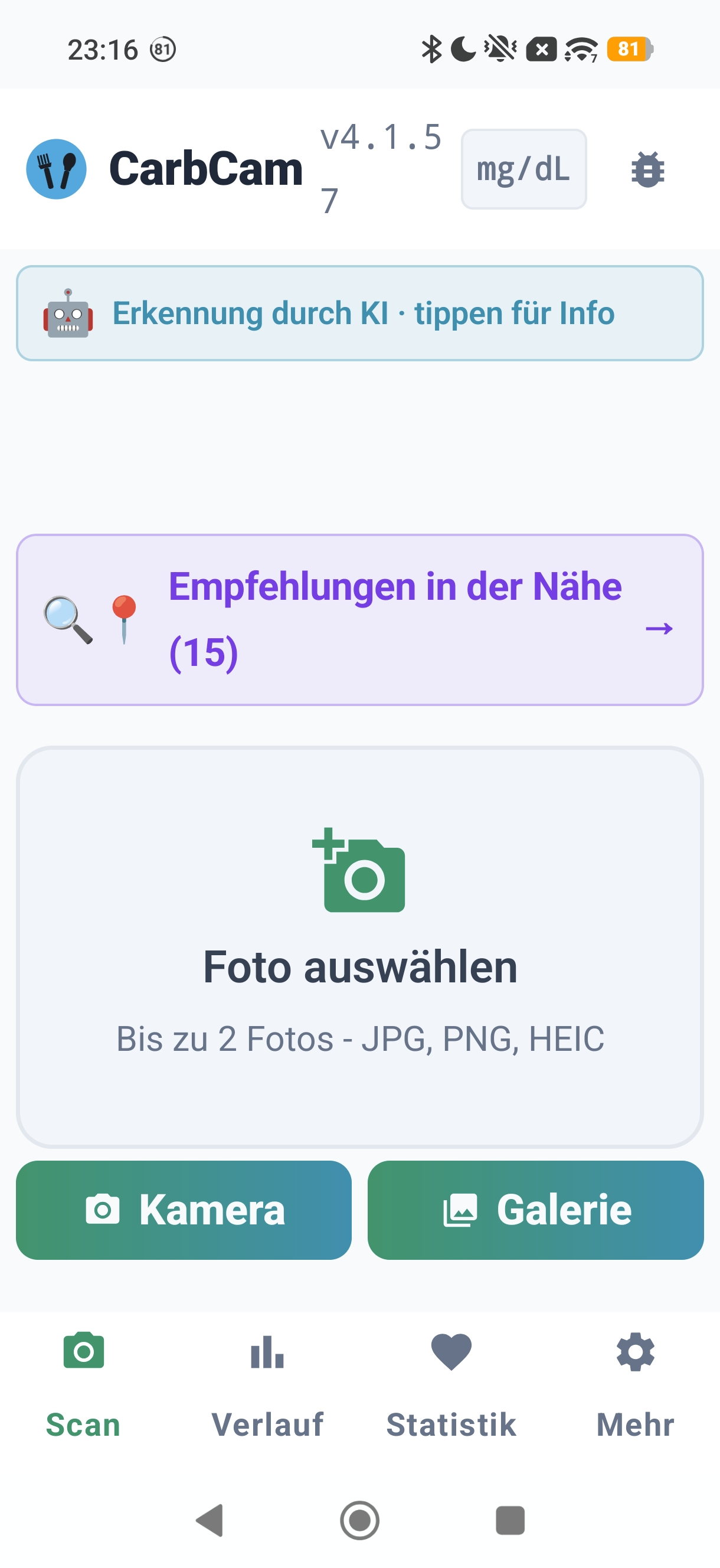
Scan Tab
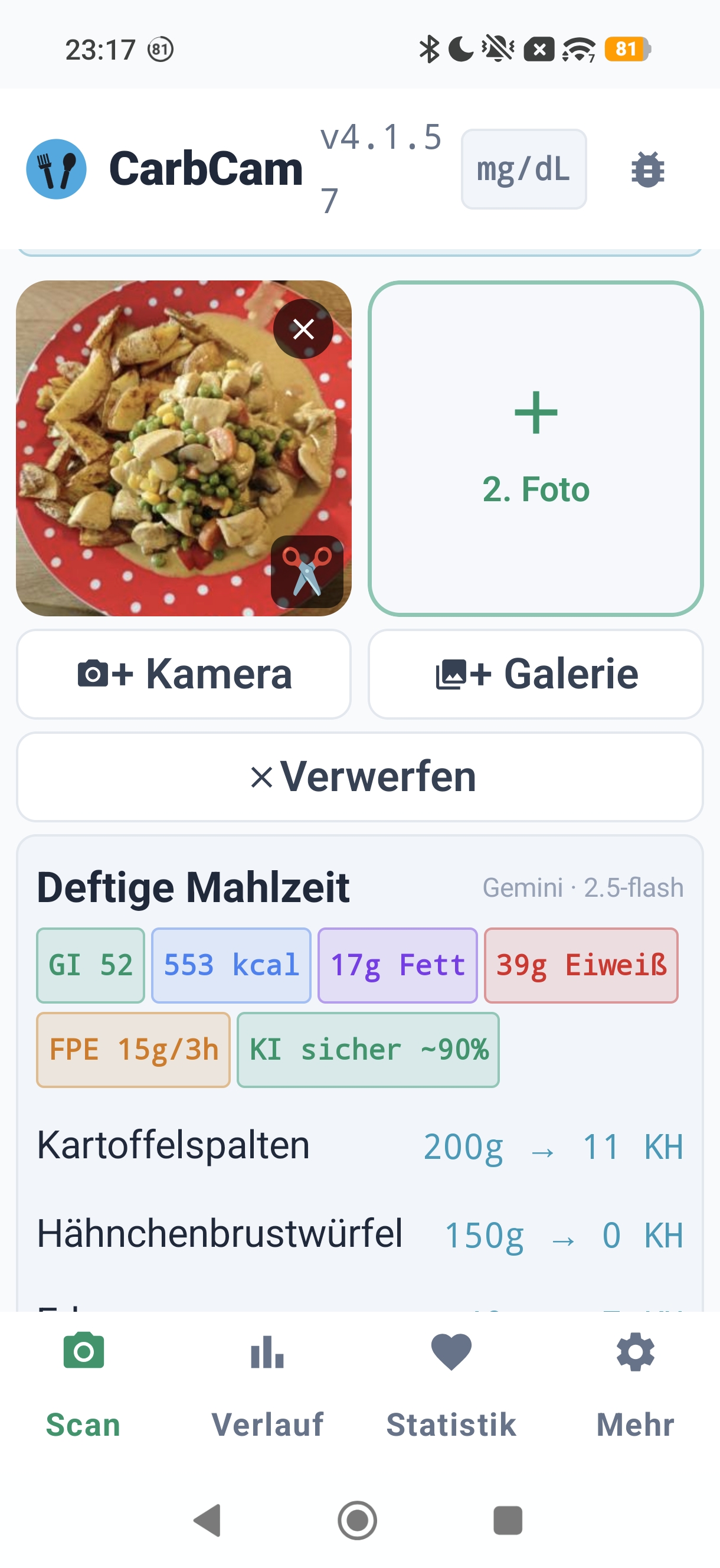
Result
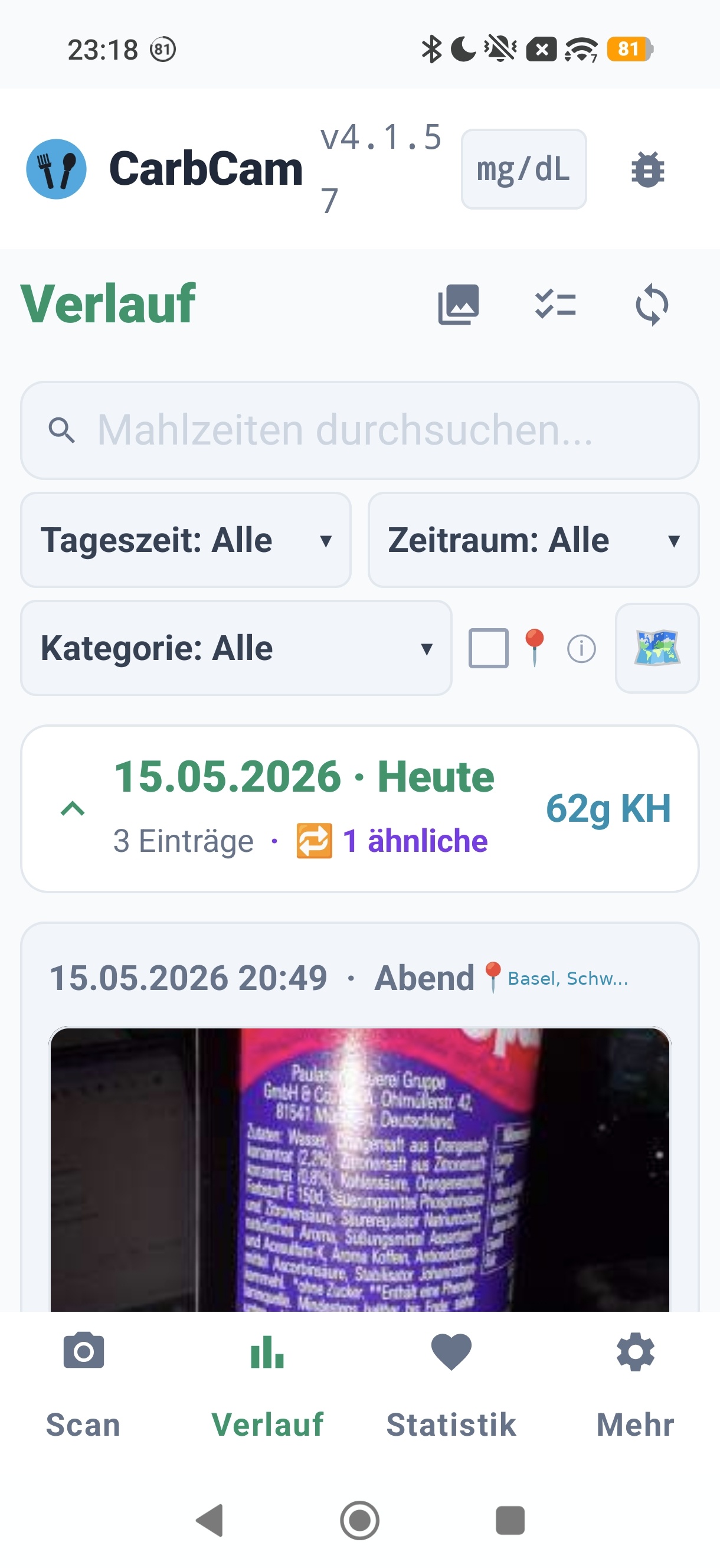
History
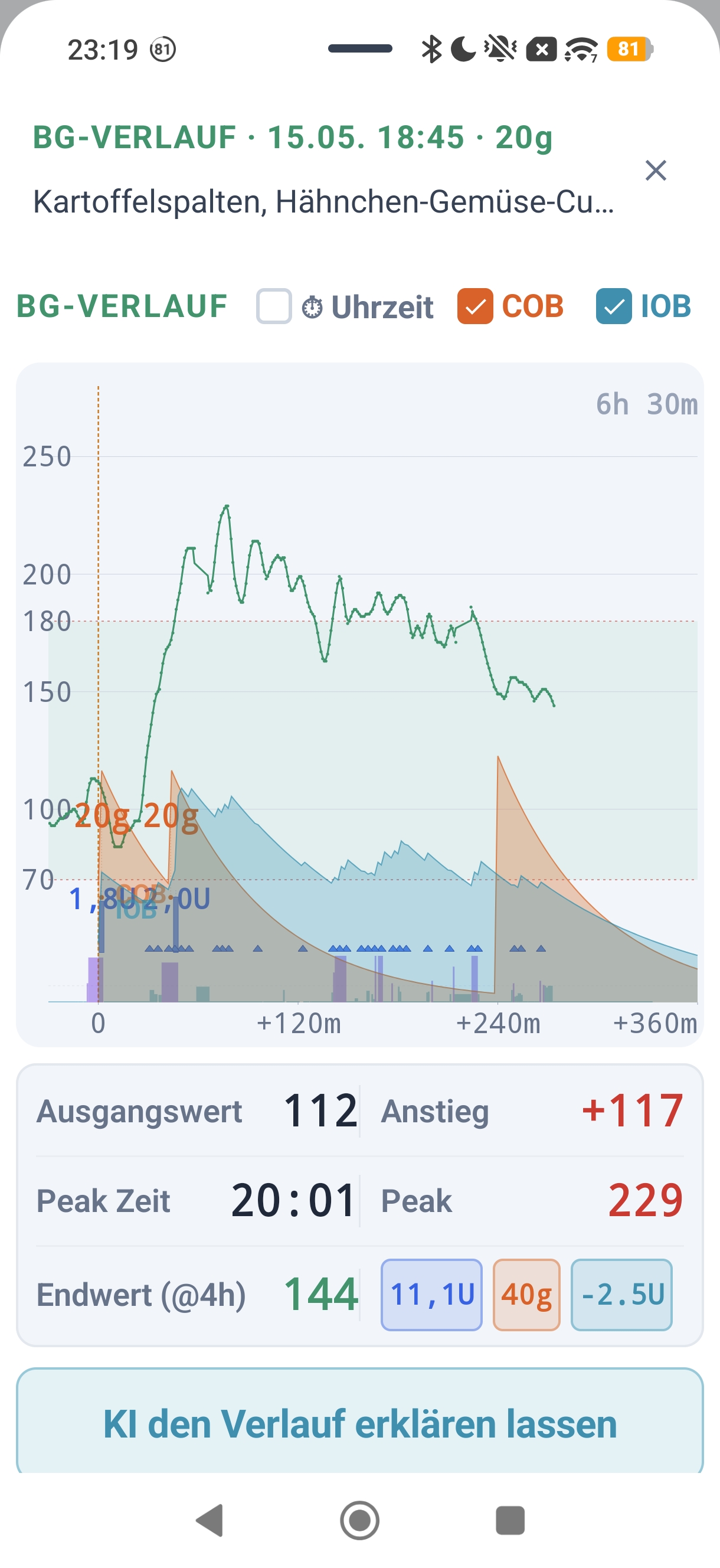
BG Graph
4. Download
5. Frequently Asked Questions
How accurate is the AI estimate?
Accuracy depends heavily on the dish. For clearly identifiable single foods (e.g. an apple, a slice of bread) the estimate is often very close. For mixed dishes (casseroles, soups) the deviation may be larger. CarbCam always provides an estimate, not a replacement for weighing or measuring.
Do I need an account?
No. CarbCam works without an account and without registration. If you use Nightscout, you enter your Nightscout URL and API secret in the settings, then you see BG curves and can sync meals. CarbCam works with any Nightscout instance; if you don't have one yet, you can get managed Nightscout hosting at ns.10be.de.
What does CarbCam cost?
The app is free to install with a limited monthly analysis quota. For more analyses you book a monthly subscription (50/150/250/400/650/900 analyses) via App Store or Google Play. Alternatively you can store your own API key (BYOK), then you pay the AI provider directly and don't need a subscription.
Are my photos stored?
Your photo is sent to the ns.10be.de server and forwarded to the selected AI provider for analysis. A downsized thumbnail and the analysis result are stored in the cache so that repeated requests can be answered faster. Original photos are not permanently stored on the server. You can delete your stored data at any time via the app.
Can I use my own API key?
Yes. In the app settings under AI providers you can store your own API key (Anthropic, OpenAI, Google, xAI, Mistral, Zhipu, Azure or OpenRouter). Your requests then run through your own account and are billed there, you don't need an analysis subscription. The server validates the key on every request, if it is invalid or empty, you will receive an error (no silent fallback to the server key).
6. Important Notes & Disclaimer
AI-Based Estimate: Not a Medical Device
CarbCam uses artificial intelligence (Claude AI by Anthropic) to identify food and estimate nutritional values. The results are automated estimates and may be incorrect, incomplete or inaccurate.
CarbCam is not a medical device and is no substitute for professional dietary advice, weighing, measuring or medical recommendations. The app serves exclusively as a guidance tool.
Disclaimer
- 10BE Software GmbH assumes no liability for the accuracy, completeness or reliability of the nutritional information provided by CarbCam.
- Use of CarbCam is at your own risk. Insulin dosing or other medical decisions must never be based solely on CarbCam results.
- No recommendation regarding diet, insulin dosing or therapy is made.
- Allergens, intolerances and special dietary requirements are not reliably detected by the AI, always verify these yourself.
- Availability of the service is not guaranteed. The service may be changed, restricted or discontinued at any time.
Privacy
Photos are transmitted to our server and from there to the selected AI provider for analysis. Our privacy policy as well as the privacy policies of the respective AI provider apply. Details on all recipients and third-country transfers in the privacy policy §5. We do not permanently store original photos. Cache entries (downsized thumbnail + analysis result) are automatically deleted after 30 days.